CamToPlan
Tasmanic EditionsBusiness
4.5274.00 Reviews
- Version
- 5.6
- Installs
- 100.00K
- Age Rating
- Everyone
Screenshots
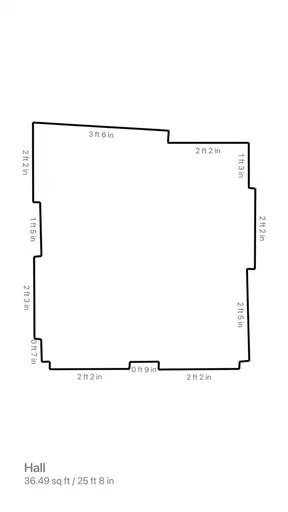
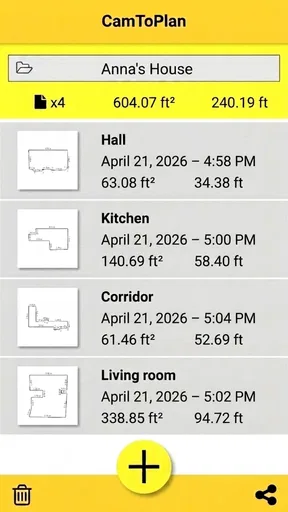
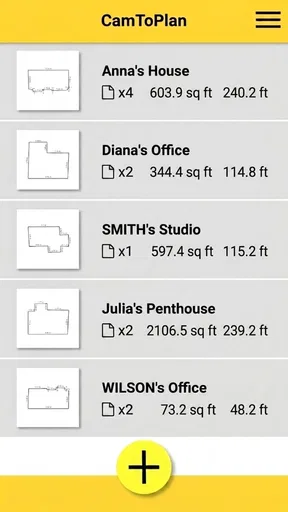
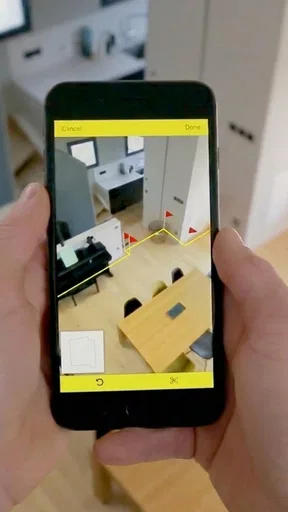
Our Review of CamToPlan
 Analysis by Appyee
When I need a quick estimate of a room or a wall, I’d rather not hunt for a tape measure before I can even decide what to do next. That is the kind of small job CamToPlan is meant to help with: using a phone camera and augmented reality to map out measurements on the spot. It is a practical idea, though the result depends on how carefully you move and what you intend to do with the numbers.
Quick estimates, not instant certainty
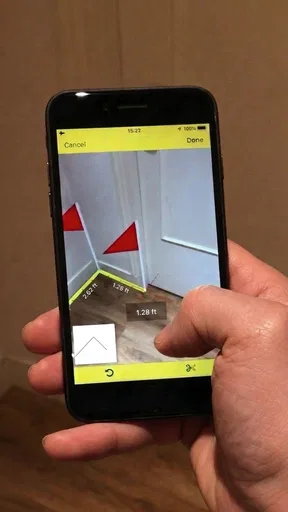
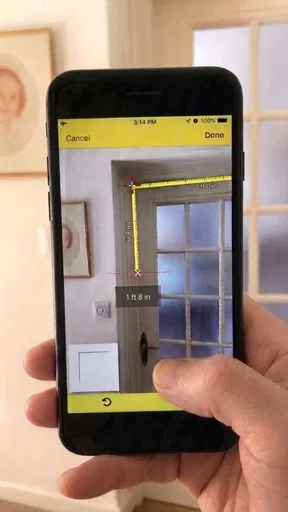
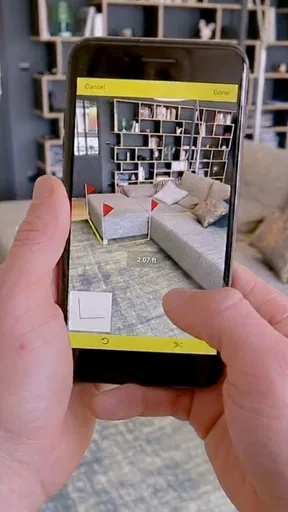
The main appeal is speed. Instead of measuring a space one edge at a time with a tape, I can trace a distance through the camera view and get a useful estimate without laying anything across the floor. For a first look at whether a sofa might fit, or whether a wall has enough room for a desk, that convenience can save time.
That quick result is best treated as a planning aid, not a guarantee. Phone-based augmented reality has to interpret the scene as the camera moves, so a rushed sweep or unclear surface can make a measurement less dependable. I’d slow down at the start and end points, keep the phone’s movement deliberate, and repeat an important measurement before relying on it.
When a room becomes a bigger job
A short measurement is one thing; mapping several walls, corners, and openings is a more demanding session. The practical challenge is keeping track of what each line represents. I find it useful to work in a consistent direction, such as moving around a room clockwise, and to note which wall or feature a measurement belongs to while it is still fresh.
That habit matters when the result will be shared or revisited later. A saved measurement is only useful if I can tell what it describes. For a room layout, I would make a quick written note of details that may not be obvious in the plan, such as which side contains a doorway or where a measurement begins. This adds a little effort, but reduces confusion when comparing options later.
A sensible everyday test is checking whether a new bookcase could fit on a particular wall. I’d use the app to estimate the available width, then confirm the final fit with a physical tape before ordering. The camera-based estimate helps narrow down choices; the second check protects me from discovering that a tight clearance was misjudged.
Useful for sharing, with a sensible boundary
Being able to keep measurements and export a plan makes the app more useful than a one-off measuring tool. If I’m discussing a room change with someone who is not standing beside me, a plan gives us a common starting point. It can make a conversation about furniture placement or a renovation idea more concrete than a rough verbal description.
I would still be careful about treating an exported plan as construction documentation. A contractor may need exact dimensions, details of openings, or measurements taken with professional tools. CamToPlan is more convincing as a way to communicate an idea or prepare for a site visit than as the final authority for costly, irreversible work.
Who will get the most from it
I’d recommend trying it if you often compare furniture sizes, plan small changes at home, or need a quick sense of distances while visiting a space. It is also a reasonable fit for someone curious about practical augmented reality, since measuring gives the camera interaction a clear purpose rather than making it a novelty.
It is less suitable if you need certified precision, have to measure complicated curved shapes, or expect every room to produce a dependable plan in one pass. A tape measure is still the better choice for a single critical dimension, while a laser distance meter can be preferable when repeatable readings matter more than drawing a visual layout. Those tools take a different approach, but they avoid some of the camera-tracking uncertainty.
Cost, compatibility, and expectations
CamToPlan is a business app from Tasmanic Editions. It has a 4.5 average from around 7.8 thousand ratings, with over 100 thousand installs, and its content rating is Everyone. The app costs $19.99, so I would think about how often I expect to measure before paying: someone planning several rooms may value the convenience more than someone who needs one measurement once in a while.
It was released on March 30, 2018, and its current version is 5.6. The listed minimum operating system is 7.0. Compatibility is only part of the decision, though: because the app relies on camera-based augmented reality, the phone’s camera and its ability to track the surroundings matter to the experience. I would test a representative room early rather than assume that an older or less capable device will behave like a newer one.
For someone deciding whether the price makes sense, the key question is not whether a phone can replace every measuring tool. It cannot. The value is in combining a quick visual estimate with a plan that can be kept or shared. If that workflow would save repeated trips to fetch a tape or help explain a layout to another person, the app has a clearer case; for occasional one-off checks, a basic tape may be enough.
How It Works
So, here's the deal with CamToPlan. It uses augmented reality to help you measure distances and areas. You simply point your camera at a surface, tap to set your starting point, and then move your phone to the endpoint. The app does the math, and voila, you've got your measurements.
Getting Started
Jumping into the app is pretty straightforward. After a quick download and installation, you're greeted with a simple tutorial. I have to say, the instructions were clear enough that even if you’re not super tech-savvy, you wouldn't feel lost. The interface is clean, with minimal clutter, which I appreciate because who needs extra distractions when you’re trying to measure something?
Precision and Accuracy
Now, the million-dollar question: is it accurate? I gave it a whirl measuring my living room. I was pleasantly surprised by the precision, especially for an app that relies on your phone’s camera. It definitely won't replace professional equipment for critical projects, but for everyday tasks like hanging pictures or buying new furniture, it's more than adequate.
Features That Stand Out
One of the features I found pretty cool is the ability to measure in different units. Whether you're into feet, meters, or even inches, you can switch it up. The app also lets you save your measurements, which is handy if you’re working on a project over several days.
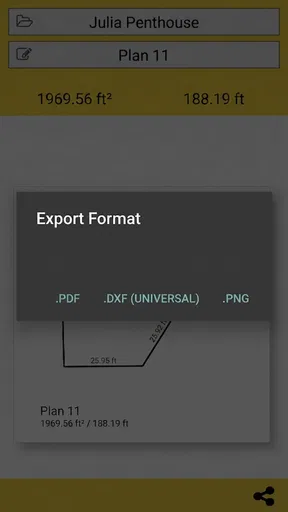
Another neat aspect is the ability to export your blueprints. I mean, how cool is it to send a floor plan to a friend or contractor directly from your phone? For someone like me, who loves sharing ideas, this is a game-changer.
User Experience
Playing around with the app is pretty fun, and it definitely adds a sense of wonder. Its responsiveness is impressive, with smooth transitions as you move your phone around. The augmented reality aspect feels polished, and there were hardly any glitches during my testing.
Room for Improvement
While I enjoyed using the app, there's always room for improvement. The lighting in your room can sometimes affect accuracy, so it’s best used in well-lit areas. Also, while it works great on flat surfaces, measuring curved or uneven areas can be a bit tricky.
Another thing to note is that the app can be a bit demanding on your phone’s battery. If you’re planning a long measuring session, you might want to keep a charger handy.
Performance in practice
For a few measurements in one room, the camera-based workflow feels like a shortcut rather than a technical project. I would not judge performance by how quickly I can wave the phone around; a steady pass is more useful than a fast one if it gives the app a clearer view of the space. If tracking seems uncertain, pausing and starting the line again is a better response than trusting a reading simply because it appeared quickly.
In a heavier session, the work is less about raw speed and more about managing the physical process: moving around furniture, keeping the relevant edges visible, and remembering which points belong together. I’d measure the broad room outline first, then handle awkward features separately. That keeps a complex task from becoming one long, hard-to-check sequence.
Small workflow choices that help
For furniture planning, I would measure both the space and the object, then leave room for practical details such as a door swing or a walkway. An app can help establish the wall’s approximate usable length, but it cannot decide whether the room will still feel comfortable once the furniture is in place. Sketching the intended arrangement beside the saved dimensions makes the measurements more actionable.
When comparing two rooms or two possible layouts, I’d keep the same unit throughout rather than switching back and forth. I’d also capture measurements in a repeatable order, such as width before depth, and label them in my own notes. These simple habits reduce the chance of mixing up numbers later, especially when an exported plan is being discussed away from the room.
The camera view also encourages a different kind of attention than a tape measure does. It is easy to focus on the line being drawn and overlook a recess, trim, or obstruction that changes the usable space. Before deciding that an item fits, I’d check the actual point where it needs to pass through the room, not just the destination wall. That is particularly useful for bulky furniture and narrow hallways.
Reliability and recovery
My confidence in a result would depend on how clearly the app can follow the room, not just on whether the interface responds smoothly. Strong, even lighting and visible surfaces make a sensible starting point; a dim corner or a visually confusing area deserves a second pass. If a result looks out of line with the room, I would discard that attempt and repeat it rather than trying to rationalize an implausible number.
There is also a practical recovery habit worth adopting: save or record a measurement once it is useful, instead of assuming I will remember it after moving to another part of the room. If I’m interrupted, a short note about the location and direction of a line helps me resume without rebuilding the whole plan from memory. That is a small safeguard, not a substitute for checking important dimensions.
Because the app uses the camera continuously while measuring, a long session can be more demanding than a quick check. I would plan a large measuring job in chunks, particularly if battery life is a concern, and avoid starting with a nearly depleted phone. This is less about expecting a failure and more about not letting an avoidable interruption break the workflow.
Choosing the right tool for the job
Compared with a tape measure, CamToPlan is better for quickly forming a visual picture of a room and retaining a set of measurements together. A tape remains simpler for checking one exact edge, and it does not depend on camera tracking or room lighting. Compared with a laser distance meter, the app offers a more visual way to build up a layout, while the dedicated instrument is the more sensible choice when the priority is a dependable reading for a specific distance.
Neither alternative makes the app pointless. I see its strongest role as the first pass: explore a space, estimate whether an idea is plausible, and share a rough layout. Then use a physical tool for dimensions where a small error could cause a costly mistake. That division of labour makes the camera convenient without asking it to do a job it is not best suited for.
My performance verdict
CamToPlan feels most compelling when I want a quick, portable overview rather than a survey-grade result. Its convenience comes from turning the phone already in my hand into a way to map a space, while its limits come from relying on the camera, lighting, and careful movement. I would expect a short, uncomplicated check to feel much lighter than a full-room planning session, where battery use and attention become part of the trade-off.
My advice is to begin with a low-stakes measurement in the sort of room you actually plan to use it in. If the process feels clear and the result is plausible, build a saved plan gradually; if the camera struggles or you need exact dimensions, reach for a tape or laser tool instead. That is the fairest way to judge whether the convenience is worth the cost for your own routine.
Final Thoughts
All in all, the app is a nifty little tool that brings a lot of convenience to anyone needing quick and reasonably accurate measurements. It's not perfect, but for everyday use, it does the job pretty well. If you're someone who frequently finds themselves needing to measure things around the house, it's definitely worth considering.
And hey, even if you’re just curious about augmented reality, this app is a fun way to experience it in a practical setting. I’d recommend it when a quick room estimate and a shareable layout would genuinely help, while keeping a tape measure close for the decisions that need certainty.
Verdict
Strengths of CamToPlan
- Easy-to-use interface for quick measurements.
- Accurate results with AR technology.
- Supports both metric and imperial units.
- Allows measurements on both flat and angled surfaces.
- Real-time visualization of measurements.
Limitations of CamToPlan
- Requires well-lit environments for accuracy.
- May struggle on reflective surfaces.
- Limited to newer device models with AR support.
- Occasional calibration issues may occur.
- Not ideal for professional-grade tasks.
Other Releases by Tasmanic Editions
View All
AI Redesign - Home Design
House & Home3.7
Similar Picks in This Category
View All
LinkedIn: Community & Network
LinkedIn3.8

Zoom Workplace
zoom.com4.1

Microsoft Teams
Microsoft Corporation4.6

Meta Business Suite
Meta Platforms, Inc.4.6

Webex Meetings
Cisco Systems, Inc.4.5

TeamViewer Remote Control
TeamViewer4.4
Frequently Asked Questions
What is CamToPlan and how does it work?
CamToPlan is an innovative app that uses augmented reality (AR) to measure distances and areas. By leveraging your device’s camera, it overlays digital measurements onto real-world spaces. Simply point your camera, tap to set points, and the app calculates measurements in real-time. This is particularly useful for interior design, construction, or DIY projects.
Is CamToPlan accurate for professional use?
While CamToPlan is highly accurate for general use, it may not replace professional measuring tools in certain precise applications. The accuracy depends on your device's camera quality and the lighting conditions. For best results, ensure good lighting and a steady hand. It's excellent for preliminary measurements and quick estimates.
What devices are compatible with CamToPlan?
CamToPlan is available for both Android and iOS devices that support augmented reality features. This typically includes newer models with ARKit or ARCore capabilities. Check the app store for your device's compatibility specifics before downloading to ensure optimal performance.
Does CamToPlan require an internet connection to function?
CamToPlan does not require an internet connection for measuring, as it operates using your device's camera and sensors. However, certain features, updates, or cloud storage options may necessitate an internet connection. It's always a good idea to check for updates when online to ensure you have the latest features.
Are there any costs associated with using CamToPlan?
CamToPlan offers a free version with basic features, but there are in-app purchases available for advanced functionalities. These may include additional measurement tools or the removal of ads. Review the pricing details within the app to determine if you need any premium features for your specific needs.
